

About the Certificate of Completion for the Research Data Management Self-Learning Course
As part of our educational and training programs, we issue certificates of completion to learners who meet the passing criteria for the relevant courses.
For information on how to apply for a certificate of completion, please refer to "Research Data Management Self-Learning Materials | National Institute of Informatics Educational and Training Programs" (Japanese Only).
The passing criteria for each course are as follows, and passing will be confirmed by the issuance of a digital badge.*
*An open badge standard certified by 1EdTech.
- Fundamentals of research data management in the era of open science (available only in japanese)
You will receive a completion badge for this course if you earn a total score of 70 points or higher on the comprehension tests for all chapters.
- GakuNinRDM User Support Course: Laboratory Edition (available only in japanese)
A “pass” will be awarded for 80% or more correct answers to the quiz, and a digital badge for each section will be given.
*Please note that this is different from the badges awarded for each category.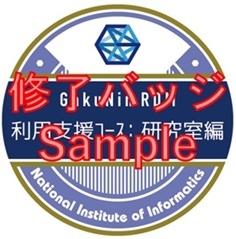
- GakuNinRDM User Support Course (available only in japanese)
A “pass” will be awarded for 80% or more correct answers to the quiz, and a digital badge for each section will be given.
*Please note that this is different from the badges awarded for each category.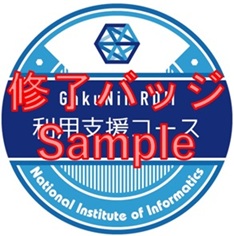
- Design and Practice of Research Data Management Services[2022Edition] (available only in japanese)]
You will receive a completion badge for this course if you earn a total score of 70 points or higher on the comprehension tests for all chapters.
- Research Data Management for Researchers[2022Edition] (available only in japanese)]
You will receive a completion badge for this course if you earn a total score of 70 points or higher on the comprehension tests (course completion assessment).
- Research Data Management for Information Infrastructure Staff (available only in japanese)
You will receive a completion badge for this course if you earn a total score of 70 points or higher on the comprehension tests for all chapters.
How to View Your Digital Badges
After logging in to the GakuNin LMS, click the user icon in the upper-right corner of the Home screen and select “Profile” from the drop-down menu.
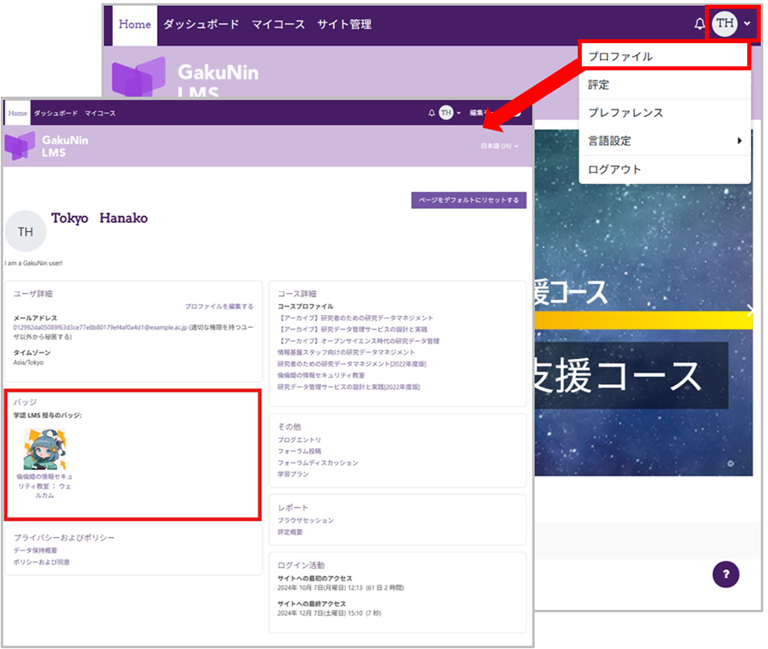
Your profile displays your registration information.
The “Badges” section displays the digital badges you have earned. If you have not earned any digital badges, this section will not appear.
Click on a digital badge to view details about it.
You can also download digital badges. The downloaded digital badge images contain embedded data such as the issuance date and time and the issuer.